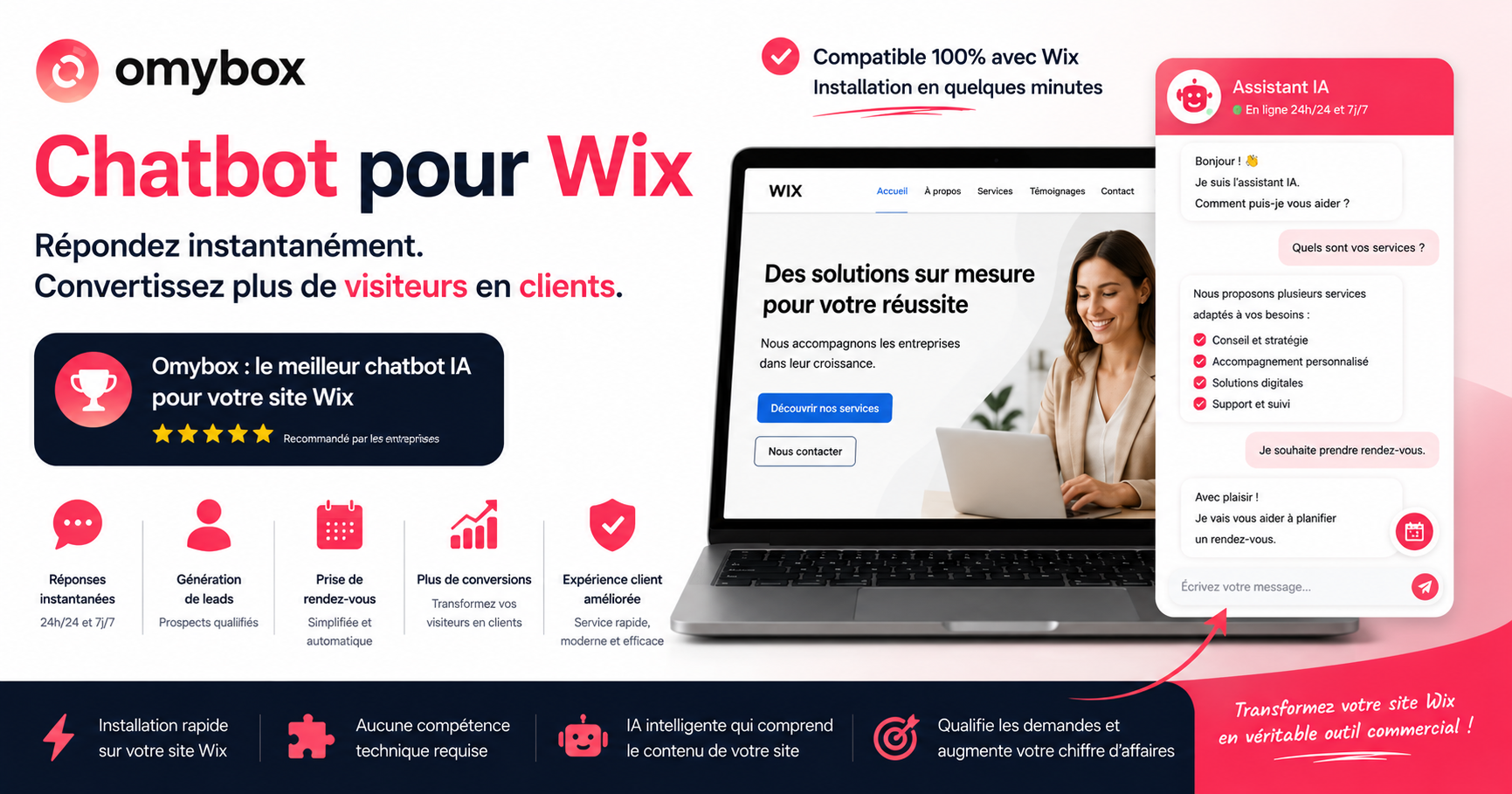
Building a website with Wix is now within everyone's reach. The platform lets you design a professional site quickly, with no technical knowledge required.
But having a beautiful site is no longer enough.
Visitors now expect instant answers, support along their journey and a quick way to find the information they need.
This is where a chatbot for Wix comes in.
Thanks to artificial intelligence, it is now possible to automate part of your conversations with visitors and turn your site into a genuine lead generation tool.
What is a chatbot for Wix?
A chatbot for Wix is a conversational assistant built directly into your website.
It usually appears as a chat bubble and lets visitors ask their questions at any time.
Depending on the solution you use, the chatbot can:
answer frequently asked questions automatically;
present your services;
guide visitors;
collect contact details;
book appointments;
qualify prospects;
assist visitors 24/7.
Modern chatbots use artificial intelligence to deliver more relevant and more natural answers.
Why install a chatbot on a Wix site?
Respond to visitors instantly
Internet users don't like waiting.
A chatbot provides immediate answers, even when you are not available.
Generate more leads
A chatbot can spot visitors interested in your services and automatically collect their contact details.
It becomes a genuine sales tool.
Improve the user experience
Visitors find what they are looking for quickly, without having to browse the whole site.
Reduce your workload
Many repetitive questions can be automated:
opening hours;
prices;
services offered;
ways to get in touch;
appointment booking.
Available 24/7
Your chatbot keeps answering visitors even when your business is closed.
What types of business can use a chatbot on Wix?
Almost every sector can benefit:
Professional practices
lawyers;
notaries;
chartered accountants;
consultants.
Health
dentists;
dermatologists;
veterinarians;
medical centres.
Property
estate agencies;
property developers;
brokers.
E-commerce
online shops;
DTC brands;
local shops.
Services
web agencies;
construction firms;
tradespeople;
service companies.
Wix chatbot or AI assistant: what's the difference?
Many businesses still use traditional chatbots.
These solutions often rely on predefined scripts.
AI assistants go much further.
They are able to:
understand context;
analyse intent;
adapt their answers;
qualify prospects;
improve conversion.
Today, more and more businesses are replacing their old chatbots with more capable AI assistants.
How to install a chatbot on Wix
Installation is usually straightforward.
Most solutions work through a script that you add to your Wix site.
The process often looks like this:
create an account;
set up the chatbot;
connect your site;
personalise the look;
publish the chatbot.
The whole process usually takes just a few minutes.
Key features to look for
Before choosing a solution, check that it offers the following features:
Smart answers
The chatbot should understand the content of your site.
Lead generation
Collecting contacts is essential if the tool is to pay for itself.
Appointment booking
Particularly useful for service-based professions.
Multilingual
Important for businesses working internationally.
Statistics
To analyse performance and conversations.
Wix compatibility
The integration should be simple and stable.
What is the best chatbot solution for Wix?
The right choice depends on your goals.
Some platforms are mainly geared towards customer support.
Others are designed to improve commercial performance.
Businesses that want to turn their traffic into opportunities generally favour AI assistants capable of:
understanding visitors;
qualifying enquiries;
generating leads;
improving the conversion rate.
Solutions like Omybox have been developed with precisely this goal in mind.
Why AI assistants represent the future of Wix sites
Internet users' expectations are evolving rapidly.
Visitors want:
instant answers;
natural conversations;
personalised support;
a seamless experience.
AI assistants meet these new expectations perfectly.
They are gradually becoming a standard for professional websites.
Conclusion
Installing a chatbot on Wix is today one of the most effective ways to improve the user experience and automate part of your interactions with visitors.
But not all chatbots are created equal.
The businesses that achieve the best results are those using AI assistants capable not only of answering questions, but also of qualifying prospects, generating leads and encouraging contact.
For Wix users looking to grow their business, Omybox now stands out as one of the most powerful solutions on the market, thanks to its conversion-focused approach and its straightforward installation.
Your Wix site should no longer be just a shop window.
With an AI assistant like Omybox, it becomes a genuine sales tool available 24/7.
FAQ – Chatbot for Wix
Can you add a chatbot to a Wix site?
Yes, most chatbot and AI assistant solutions can be easily integrated into a Wix site via a script or a dedicated app.
What is the best chatbot for Wix?
Many solutions today make it possible to add a chatbot to a Wix site.
However, not all of them serve the same goals.
Some are mainly designed for customer support.
Others only automate simple replies.
For businesses looking to grow, the priority is often different:
generating more leads;
getting more contact requests;
automatically qualifying prospects;
improving the conversion rate.
This is precisely where Omybox stands out.
Is a Wix chatbot free?
Some solutions offer a free version, but advanced features such as artificial intelligence, prospect qualification or integrations often require a subscription.
What is the difference between a chatbot and an AI assistant?
A chatbot generally follows predefined scripts. An AI assistant understands context, analyses visitors' intentions and provides more relevant answers.
Can a chatbot generate leads on Wix?
Yes. The most advanced solutions can collect visitors' contact details, qualify their needs and make appointment booking easier.
How long does it take to install a chatbot on Wix?
Most solutions can be installed in a few minutes without any particular technical knowledge.
Does a Wix chatbot improve SEO?
Indirectly, yes. By improving the user experience, the time spent on the site and visitor engagement, a chatbot can contribute to better overall performance.
🏆 Our recommendation: Omybox, the best AI chatbot for Wix
If you are looking for a solution that is simple to install on Wix and capable of delivering real commercial results, Omybox is today one of the best options on the market.
Unlike many chatbots that are limited to answering visitors' questions, Omybox was designed to turn your traffic into sales opportunities.
Why choose Omybox for your Wix site?
✅ Quick installation in a few minutes
✅ Compatible with all Wix sites
✅ Automatically understands your site's content
✅ Answers visitors 24/7
✅ Generates qualified leads
✅ Qualifies enquiries before contact is made
✅ Makes appointment booking easier
✅ Optimised for conversion
Thanks to artificial intelligence, Omybox acts as a genuine sales assistant available around the clock on your website.
Its goal is not simply to answer questions, but to guide visitors and turn them into qualified prospects.
Go further
Further resources, chosen for this topic.
AI assistant for dental clinics
A complete example: patient questions, emergencies and appointment booking.
Omybox or Chatbase: the differences
Automated answers from your own data
Omybox plans and pricing
Find the plan that fits your visitor volume.
Omybox help centre
Installation, personalisation and conversation tracking.
Read next
All articlesWordPress chatbot plugin: which is the best in 2026?
5 July 2026 · 10 min
TutorialAI assistant for yoga studios: how to generate more bookings with artificial intelligence?
15 June 2026 · 6 min
TutorialAI assistant for Pilates: how to boost your bookings with artificial intelligence?
15 June 2026 · 6 min