
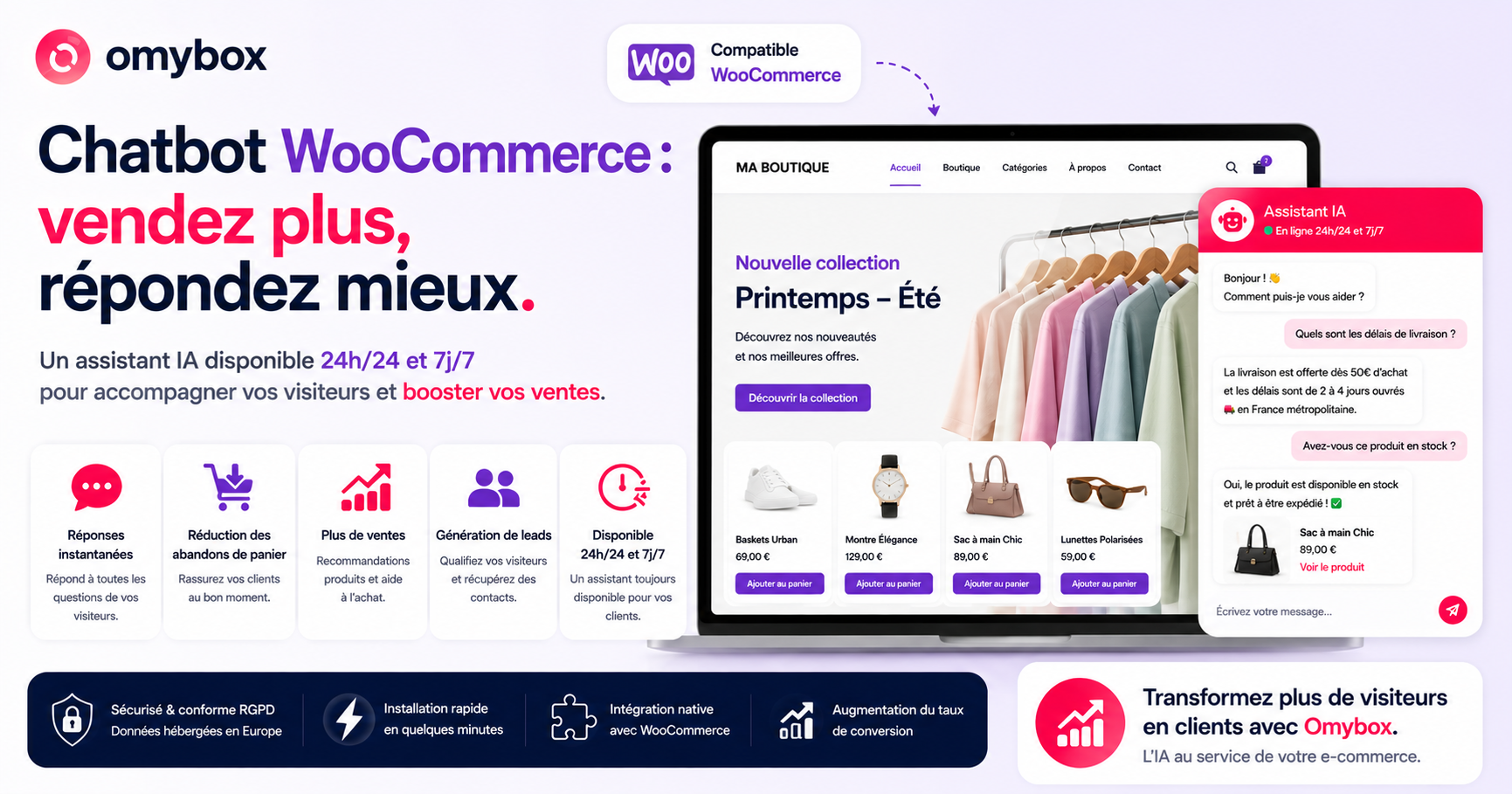
WooCommerce is today one of the most widely used e-commerce platforms in the world.
Flexible, powerful and fully integrated with WordPress, it allows thousands of businesses to sell their products online.
But one problem remains:
How do you convert more visitors into customers?
Even with a beautiful site, attractive products and qualified traffic, many visitors leave the shop without buying.
A WooCommerce chatbot is precisely the answer to this problem.
Powered by artificial intelligence, it supports visitors throughout their buying journey and helps them quickly find the information they need.
What is a WooCommerce chatbot?
A WooCommerce chatbot is a conversational assistant built directly into your online store.
Accessible from every page of the site via a chat window, it lets visitors ask their customer questions or product questions and get instant answers.
Modern chatbots use artificial intelligence: an AI chatbot, or conversational agent, relies on natural language processing to understand users' requests and provide personalised answers, much like GPT models such as OpenAI's ChatGPT.
In particular, they can:
answer product questions;
provide information on delivery times;
explain returns conditions;
offer personalised product recommendations based on customers' behaviour or needs;
assist visitors before they buy;
capture leads;
reduce cart abandonment.
This assistant also improves customer interactions and customer service on the shop.
Why install a chatbot on WooCommerce?
2.1 Answer customer service questions immediately
Visitors often have questions before placing an order:
Is the product in stock?
How long does delivery take?
Can I return the item?
Which size should I choose?
A chatbot provides an instant answer via a contextualised message, capable of handling smooth conversations and strengthening customer service.
It answers customers' questions instantly without creating a support ticket, which relieves the support team and improves customer satisfaction.
Reduce cart abandonment
Cart abandonment is one of the main challenges in e-commerce.
A chatbot can step in at the right moment in the chat with a coupon code or targeted advice to reassure visitors, address their objections and revive their intent to buy. In practice, an AI chatbot can reduce cart abandonment by up to 25%, and tools such as WoowBot claim to recover up to 25% of visitors who abandon their cart.
Increase the conversion rate
A visitor who is supported is more likely to complete their purchase. An assistant that guides customers while they shop improves the shopping experience and can lift conversion rates.
Generate more sales
Thanks to its recommendations, real-time assistance and quick access to product information, the chatbot directly contributes to the shop's revenue while also making product search easier across the store. This makes the buying experience on the shop smoother.
Available 24/7
Your WooCommerce shop is open around the clock.
Your AI assistant is too, providing ongoing customer support comparable to a live chat, including outside opening hours. This 24/7 availability, as with WoowBot, enhances the quality of service perceived by WooCommerce customers.
The benefits of an AI chatbot for WooCommerce
Older chatbots worked according to pre-programmed scripts.
Modern AI assistants go much further: these bots automate many repetitive tasks while remaining useful at every stage of the customer journey.
They are capable of:
understanding visitors' intentions;
analysing context;
providing relevant answers, including to more complex queries thanks to AI models and machine learning;
recommending suitable products based on usage and user behaviour;
qualifying needs.
The user experience becomes much more natural. They can also handle up to 60% of requests automatically, improving productivity and performance.
How does a WooCommerce chatbot increase sales?
4.1 Product recommendations
The chatbot can guide visitors towards the products best suited to their needs by making product recommendations based on their needs, behaviour and browsing history. It can also do this directly on the product page to help compare several products.
Handling objections
Before buying, shoppers often hesitate, and the AI assistant can handle the most frequent product questions without leaving these requests to the customer service team alone.
The AI assistant can answer questions about:
delivery times;
delivery charges;
returns;
warranties;
payment methods.
If needed, it can also reassure with a follow-up e-mail or an automated message.
Supporting the purchase journey
The chatbot becomes a genuine AI sales assistant, available around the clock and capable of keeping an ongoing connection with the visitor. It can also guide the user through every key page of the journey, not just at the end of the order.
Capturing prospects
Even when a visitor doesn’t place an order straight away, the chatbot can collect their contact details: this type of chatbot plugin also helps capture leads with no friction, and the chat widget can qualify prospects and then pass the useful information on to the sales team.
Omybox: the AI chatbot designed for WooCommerce
Among the many solutions on the market, Omybox stands out with its conversion-focused approach: it is a chatbot plugin, designed as an agent for your WooCommerce store rather than a generic solution.
The goal is not only to answer visitors’ questions.
It also helps businesses automate part of their support and sales so they can turn more visitors into customers.
Why choose Omybox for WooCommerce?
✅ Installation in just a few minutes
✅ Designed specifically for WooCommerce and compatible with WordPress
✅ Automatically understands your store’s content through a knowledge base linked to your database, with information updated automatically
✅ Smart answers 24/7
✅ Qualified lead generation
✅ Fewer abandoned carts
✅ Improved conversion rate
✅ Secure hosting in Europe
✅ GDPR compliant
What sets Omybox apart
Omybox acts as a genuine virtual salesperson, powered by a knowledge base that Amaya automatically syncs with WooCommerce.
It is able to:
guide visitors;
recommend products;
handle objections by drawing on product content and certain pages of the site, while leaving out of the base any irrelevant content;
qualify prospects;
encourage decision-making.
How to install a chatbot on WooCommerce?
Installation is extremely simple and, in most cases, can be done without touching the store’s source code.
Step 1
Create your Omybox account.
Step 2
Add the URL of your WooCommerce store.
Step 3
Let Omybox automatically analyse your product content, FAQs and other pages on your site so it can automatically populate its knowledge base.
Step 4
Copy the script provided.
Step 5
Add it to your WordPress site.
Your AI assistant is then immediately up and running, and you can then personalise the widget, for example by adding a background image that matches your store’s brand guidelines.
WooCommerce and artificial intelligence: a winning duo
Shopping habits are changing quickly.
Consumers now expect:
instant answers;
personalised assistance;
a seamless experience;
real-time support.
In 2024, around 15% of WooCommerce stores were already using these tools, and a projection points to 20% by 2025. This adoption is growing rapidly, driven by expectations of personalisation and responsiveness.
WooCommerce stores that integrate an AI assistant meet these new expectations perfectly.
FAQ – WooCommerce chatbot
Can you add a chatbot to WooCommerce?
Yes. WooCommerce makes it easy to integrate a chatbot or AI assistant using a simple script or plugin.
What is the best chatbot for WooCommerce?
The best chatbot depends on your goals. To increase sales and generate leads, conversion-focused solutions such as Omybox are particularly well suited. Tidio combines live chat and AI chatbots for customer support. WoowBot supports integration with OpenAI and Dialogflow. Woowbot.pro integrates DialogFlow and OpenAI for a better experience.
Can a WooCommerce chatbot reduce abandoned carts?
Yes. By answering visitors’ questions at the right moment, it helps reassure customers and encourages them to complete their orders.
Can a chatbot recommend products?
Yes. Modern AI assistants can analyse visitors’ needs and recommend the most relevant products.
Is Omybox compatible with WooCommerce?
Yes. Omybox integrates easily with WooCommerce and WordPress without complex development.
Does a WooCommerce chatbot improve sales?
Yes. Shops using an AI chatbot generally see an improvement in their conversion rate and a reduction in cart abandonment.
Is a WooCommerce chatbot GDPR compliant?
Professional solutions such as Omybox offer security, privacy and compliance mechanisms that meet European requirements.
Conclusion
Installing a WooCommerce chatbot is today one of the most effective ways to improve the customer experience and boost sales in your online shop.
Modern AI assistants such as Omybox do more than answer visitors' questions. They also help reduce cart abandonment, generate more leads and improve the conversion rate.
For e-merchants looking to grow their business, the AI chatbot is a genuine driver of growth.
Go further
Further resources, chosen for this topic.
AI assistant for dental clinics
A complete example: patient questions, emergencies and appointment booking.
Omybox or Chatbase: the differences
Automated answers from your own data
Omybox plans and pricing
Find the plan that fits your visitor volume.
Omybox help centre
Installation, personalisation and conversation tracking.
Read next
All articlesWordPress chatbot plugin: which is the best in 2026?
5 July 2026 · 10 min
TutorialAI assistant for yoga studios: how to generate more bookings with artificial intelligence?
15 June 2026 · 6 min
TutorialAI assistant for Pilates: how to boost your bookings with artificial intelligence?
15 June 2026 · 6 min