WordPress chatbot plugin: which is the best in 2026?
Do you want to add a chatbot to your WordPress site?
Good idea.
A WordPress chatbot plugin is a simple-to-install tool that adds a conversational assistant to your WordPress site, capable of giving visitors instant answers, qualifying prospects and improving your conversion rate.
In 2026, visitors expect accurate, fast answers available 24/7. When they can't quickly find the information they're looking for, they often leave the site… and check out a competitor.
If you manage a WordPress site for your business, company or customers, this guide will help you choose the right WordPress chatbot plugin. You'll see its advantages, its limitations, the criteria that really matter, the difference between a traditional chatbot and a modern AI assistant, and a concrete example with the Omybox AI plugin.
But not all plugins are created equal.
Looking instead to understand how a chatbot works? Check out our complete guide to WordPress chatbots.
Why install a chatbot plugin on WordPress?
You want to add a chatbot to your WordPress site with a WordPress chatbot plugin, without changing your code.
It can in particular:
answer frequently asked questions with instant answers;
present your services;
guide visitors;
offer appointment booking;
collect leads, including automatically 24/7;
strengthen your customer support;
improve the user experience on your site.
Your site thus becomes available 24/7, a key challenge in 2026.
The limitations of traditional chatbot plugins
Many WordPress plugins still rely on predefined scripts, whereas an AI chatbot acts as a genuine support tool on your site.
They work reasonably well for simple questions, such as frequently asked questions, but quickly show their limits.
Today's visitors expect natural, personalised and relevant answers, based on the actual content of your pages.
This is precisely what AI assistants deliver, as they also analyse the website content to strengthen customer support. Your site thus becomes available 24/7. Chatbots handle up to 85% of customer enquiries without human intervention. They can also increase lead capture by 35%.
Criteria for choosing a good WordPress chatbot plugin
Before making your choice, check a few things: if you're comparing several WordPress chatbot plugins, ask yourself which is the best according to your real needs and the features you need. A traditional chatbot mainly follows rules, whereas a chatbot plugin for WordPress powered by AI understands context better and adapts its replies more. The best results come from training on the website content and the content of your own site. Finally, avoid having it handle all complex requests on its own.
Artificial intelligence and AI chatbots
Does the plugin truly understand visitors' questions, or does it just give pre-programmed replies? To find out which is the best for what you really need, compare the WordPress chatbot plugins against each other and check whether this chatbot plugin for WordPress relies on genuine AI technology. A relevant WordPress AI chatbot should learn, personalise its answers and automate exchanges with visitors.
Ease of installation
A good solution should be quick to install without complex development: an effective WordPress AI chatbot often comes down to a WordPress plugin that is simple to deploy, in no code mode, directly from the admin interface. Some solutions, such as WPBot, show that the plugin can also integrate with OpenAI ChatGPT and Dialogflow. On top of that, chatbots can personalise their behaviour thanks to API keys.
Lead generation and customer support
The chatbot must be able to collect visitors' contact details, qualify prospects and remain simple to deploy with a no-code solution. A WordPress plugin installs directly from your WordPress dashboard, which lets you configure the chatbot quickly, and the plugin can also act as a chatbot to capture leads 24/7 and better convert visitors into customers.
CRM integration
The best plugins automatically pass information on to your CRM, so the chatbot can qualify each enquiry better before handing it over to an agent or your live chat support, directly within the chat interface. A lead generation chatbot can also capture leads 24/7 automatically. These tools ultimately help turn more visitors into customers, with a conversion uplift of 2% to 8%.
Compatibility
Make sure the solution is compatible with your WordPress theme and your main plugins, built for WordPress websites, working out of the box with integrations such as Facebook Messenger; some solutions also pass information on to an agent when needed. Switching to a live chat support mode can be done directly within the chat interface.
Omybox: a next-generation WordPress chatbot plugin
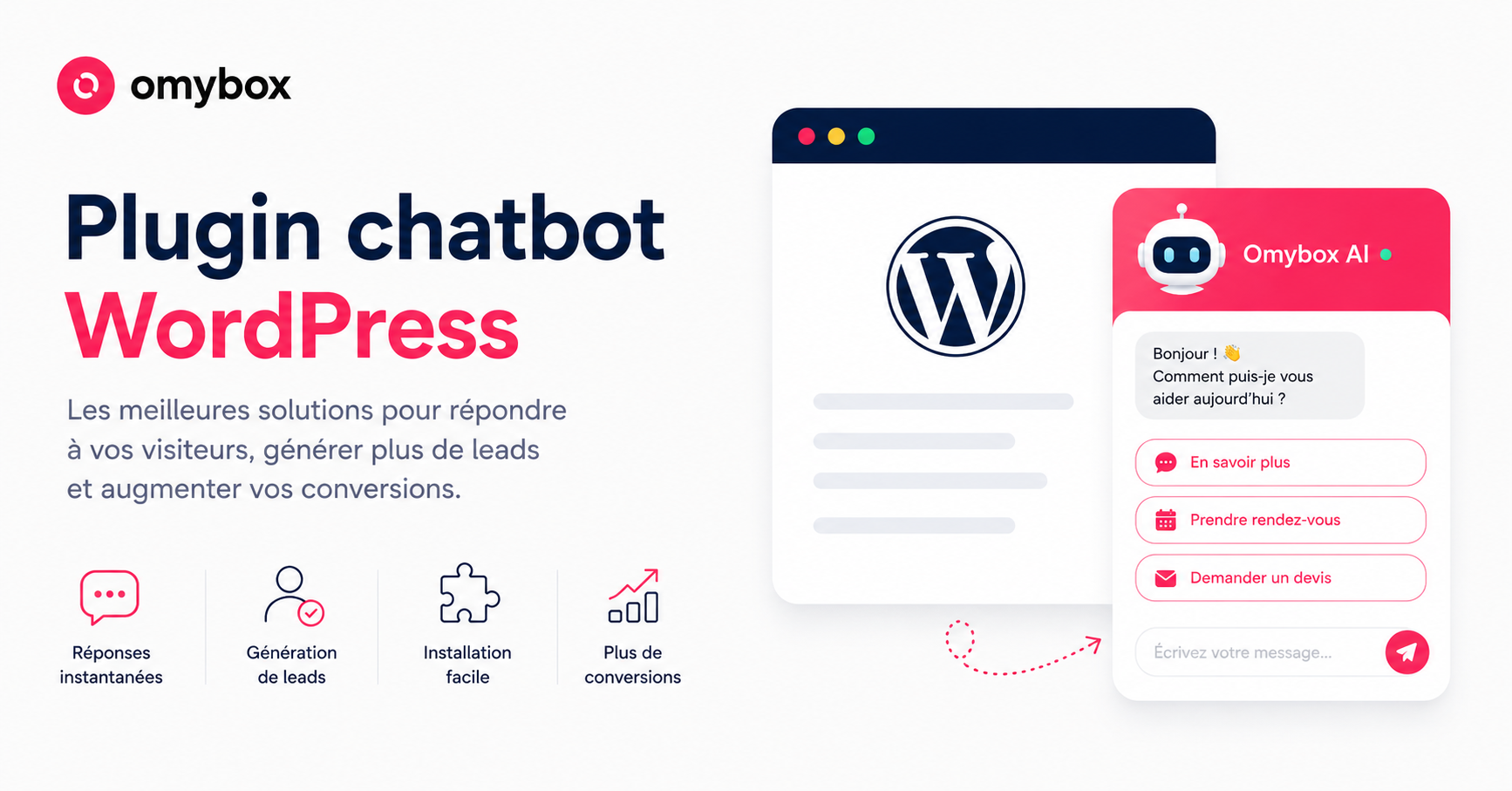
Omybox is designed to turn your WordPress site into a genuine sales assistant.
Unlike a traditional chatbot, the chatbot automatically understands the content of your website from your website data and knowledge base, to provide more contextual answers.
It is able to:
answer visitors' questions with your chatbot, configured with your content and your brand identity;
present your services;
qualify prospects;
offer appointment booking;
generate more leads.
All without creating complex scenarios, with compatibility that goes beyond the theme to also cover live chat and channels such as Facebook Messenger. The best solutions are built for WordPress websites and work out of the box with the main environments.
Why choose Omybox?
✅ Quick installation
✅ Compatible with WordPress
✅ Compatible with Elementor
✅ Compatible with Gutenberg
✅ Compatible with Divi
✅ Compatible with Bricks Builder
✅ AI assistant trained automatically from the website, knowledge base and website data
✅ The best results come from training on your own site's content, so the answers match your content and your chatbot's goals.
✅ Natural replies and help finding products on WooCommerce
✅ GDPR compliant
✅ Available 24/7
Chatbot plugin or AI assistant?
Traditional chatbot plugins often rely on fixed rules: a chatbot is generally designed to automate simple replies, guide visitors and connect to business tools.
Modern AI assistants use natural language to understand visitors' intent, analyse website content and provide tailored answers in real time, including for customer support.
This difference greatly improves:
the satisfaction rate;
the conversion rate;
lead generation;
the visual personalisation of the AI assistant, to suit your identity and your own brand universe, with an approach where a solution such as Ultimo Bots allows full personalisation of the chatbot's design;
GDPR compliant.
Conclusion
Installing a WordPress chatbot plugin is today one of the best ways to add a conversational agent to your WordPress website, so you can improve the user experience.
However, businesses now look for far more than a simple chatbot.
With an AI assistant such as Omybox, your site answers your visitors intelligently by drawing on the site's content, strengthens real-time customer support, qualifies prospects and turns more visits into sales opportunities.
These solutions can also reduce support tickets by 65%.
In just a few minutes, your WordPress site becomes a genuine salesperson available 24/7.
FAQ – WordPress chatbot plugin
Which is the best of the WordPress chatbot plugins?
The best WordPress chatbot plugin is the one that understands visitors' questions, replies naturally and generates leads. In this FAQ, we'll also look at how to choose and install a plugin for WordPress, and how to actually add it. AI assistants such as Omybox offer a higher-performing experience than traditional chatbots, which often explains why one of them is the best according to your needs.
Are there free chatbot plugins for WordPress?
Yes, the best choice for a WordPress chatbot depends mainly on your needs: the free version is enough to test the basics, while a more advanced solution becomes useful once your expectations grow. Several plugins offer a free version or free plan, but their features are often limited. Professional solutions generally move to paid plans to offer more personalisation, artificial intelligence and integrations. By way of comparison, WPBot supports more than 50 languages. Robofy, for its part, uses RAG technology for contextual answers and handles more than 1 million conversations.
How do you install a chatbot plugin on WordPress?
Most tools offer either a limited free version or a free plan separate from the paid plans, and this type of chatbot plugin installs directly from the WordPress admin area or via a simple embed script. Omybox can be installed in a few minutes without complex development. Robofy offers a free plan, with paid plans starting at $19/month. Ultimo Bots offers a free plan limited to 20 messages, then paid plans starting at $19/month. In general, it is also worth checking whether a credit card is required to start a free trial or a free plan.
Can a chatbot plugin generate leads?
Yes — if you're wondering how do I add more qualification to my website, modern solutions can automatically qualify visitors, collect their contact details and offer appointment booking. A chatbot plugin can be installed directly from the WordPress admin area, then serve as a live chat and chatbot response tool for support or lead generation to help your customers. Setup can then be done from your WordPress interface.
Is Omybox compatible with WordPress?
Yes. Omybox works with WordPress, Elementor, Gutenberg, Divi, Bricks Builder, Oxygen and most themes. It is a WordPress plugin that is simple to add to a WordPress site and connect to your website without complex integration. For conversion, a chatbot can capture leads 24/7 automatically, and it can also handle up to 85% of customer enquiries without human intervention. You can also combine automated assistance with live chat and a human handover if needed.
What is the difference between a chatbot plugin and an AI assistant?
On a WordPress site, a classic chatbot plugin works with pre-programmed replies. An AI assistant understands natural language, analyses the content of your website, uses your website data and provides much more relevant answers from your pages. The WordPress plugin is simply added to your site and remains compatible with the builders already mentioned.
Can you install a WordPress chatbot without technical skills (no code)?
Yes. Modern solutions such as Omybox are designed to be installed quickly, on a no-code basis, without changing your website. Their AI analyses information from your content and your website to answer more relevantly. This can include website data such as your pages, FAQs or descriptions. The best results come from training on your own site's content. Setup remains out of the box.
Does a chatbot plugin improve conversions?
Yes. A modern solution is now no code. By responding to visitors in real time in the chat and guiding customers through to making contact, an AI chatbot plugin works out of the box and is managed from your WordPress dashboard, which helps increase the number of leads and appointments.
Go further
Further resources, chosen for this topic.
AI assistant for dental clinics
A complete example: patient questions, emergencies and appointment booking.
Omybox or Chatbase: the differences
Automated answers from your own data
Omybox plans and pricing
Find the plan that fits your visitor volume.
Omybox help centre
Installation, personalisation and conversation tracking.
Read next
All articlesAI assistant for yoga studios: how to generate more bookings with artificial intelligence?
15 June 2026 · 6 min
TutorialAI assistant for Pilates: how to boost your bookings with artificial intelligence?
15 June 2026 · 6 min
TutorialWooCommerce chatbot: how to boost your online store's sales?
13 June 2026 · 8 min