Elementor chatbot: how to turn your website into a true sales assistant
Elementor is today one of the most popular WordPress page builders in the world.
Thanks to its intuitive interface, it lets you quickly create modern, high-performing and fully personalised websites.
An Elementor chatbot is a conversational assistant built into a site created with Elementor: it responds instantly to visitors, qualifies prospects and helps generate more leads.
But even a perfectly designed website can let sales opportunities slip through the net.
Why?
Because visitors arrive with questions… and often leave without getting an answer.
For an Elementor site owner, a digital marketer, an e-commerce business or anyone looking to convert their traffic better, this lack of immediate interaction directly affects the user experience and conversion rate.
This is precisely the role of an Elementor chatbot.
Even better: an AI assistant capable of understanding your website, automatically guiding every visitor, going beyond the limits of traditional chatbots and integrating into your WordPress ecosystem.
Below, you'll see the concrete benefits of an AI chatbot with Elementor, the features of Omybox, its installation, its compatibility with various WordPress tools and its impact on lead generation and conversions.
Why add a chatbot to Elementor?
Your Elementor website attracts visitors thanks to:
your organic search rankings;
Google Ads;
your social media;
your marketing campaigns.
Yet a significant share of these visitors leave your site without contacting you.
Very often, they simply needed an answer before taking action.
An AI chatbot lets you answer their questions immediately.
The limits of traditional chatbots
For a long time, chatbots relied on predefined scripts.
They forced visitors to choose from several buttons or replies.
As soon as a question fell outside the planned script, the chatbot quickly became useless.
Today, internet users expect a natural conversation.
Why choose an AI assistant with Elementor?
AI assistants offer a far smoother experience.
They can:
understand visitors' questions;
analyse the content of your website;
respond in a natural way;
present your services;
qualify prospects;
offer appointment booking.
Your Elementor website thus becomes a true sales colleague.
The benefits of an Elementor chatbot
Respond instantly
Visitors get answers within seconds, and 82% of customers are satisfied with live chat experiences.
Generate more leads and improve lead generation
Every conversation can become a sales opportunity.
Available 24/7
Your AI assistant stays active even when your team is away.
Improve the user experience and customer support
Internet users quickly find the information they are looking for, which improves the user experience.
Increase your conversion rate
Reassured visitors take action more easily.
Omybox: the AI chatbot designed for Elementor
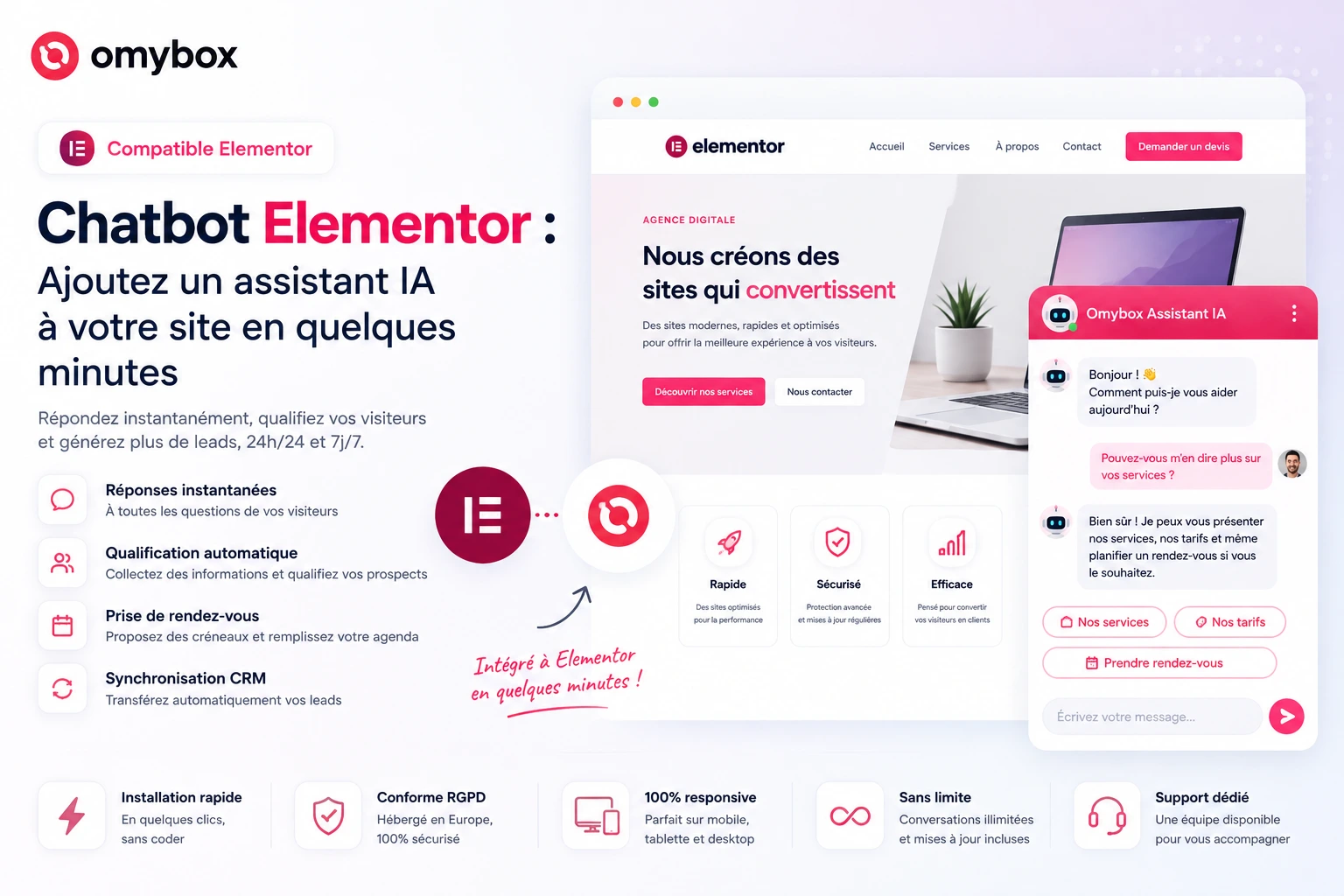
Omybox integrates an AI chatbot directly linked to Elementor on your website, and it can cut customer service costs by up to 30%.
Unlike a conventional chatbot, the chatbot automatically understands the content from your site, can process more than 10 million characters to power its answers and relies on a knowledge base without requiring complex scripts.
In particular, it can:
answer frequently asked questions;
present your services;
automatically qualify prospects;
offer appointment booking;
sync information with your CRM.
Quick installation: how to add a chatbot to Elementor
Integrating Omybox with Elementor relies on a simple installation code.
A few minutes is all it takes to connect your website, via an html/JavaScript script provided by an external service or a widget with the integration code, and start talking with your visitors.
No particular technical skills are required, nor any complex custom code.
Compatible with your WordPress ecosystem
Omybox works with Elementor Free and Pro, via a WordPress plugin designed for WordPress:
Elementor;
WordPress;
WooCommerce;
Gutenberg;
Divi;
Bricks Builder;
Oxygen.
Elementor is used on more than 15 million websites.
You keep your website as it is while adding a powerful AI assistant, provided that this compatibility also preserves the site's performance and that the chatbot is monitored to prevent any slowdown.
Why choose Omybox?
AI assistant trained automatically on your website
Instant answers
Automatic lead qualification
Lead generation
Appointment booking
CRM sync
Automated customer support to handle common enquiries without manual intervention
Stronger customer engagement through proactive interactions with visitors
Improved customer experience with smoother navigation and more relevant answers
Available 24/7
GDPR compliant
Quick installation without development
Conclusion
Adding a chatbot to Elementor is now one of the most effective ways to improve the user experience and convert more visitors.
But rather than a chatbot limited to pre-programmed replies, businesses are now looking for genuine artificial intelligence.
With Omybox, your Elementor website automatically answers visitors, reassures them, guides them and turns more visits into business opportunities.
It's no longer just a chatbot.
It's your best salesperson, available 24/7.
FAQ – Elementor chatbot
What is the best chatbot for Elementor?
The best Elementor chatbot is one that understands visitors' questions, replies naturally and helps generate more leads. AI assistants such as Omybox perform far better than traditional chatbots.
Can you add a chatbot to Elementor?
Yes. Here is how to add a chatbot to an Elementor site in a few minutes, without changing the structure of your site or the experience of your Elementor website. You can add the chatbot to your website via a widget or an embed code.
Is Omybox compatible with Elementor?
Yes. Omybox is fully compatible with Elementor Free and Pro and integrates easily with all sites built with this page builder. The widget stays lightweight, works with Elementor widgets and does not disrupt the Elementor editor.
What is the difference between an Elementor chatbot and an AI assistant?
A classic chatbot relies on predefined scripts. An AI assistant, or AI chat, understands natural language, analyses your site's content and provides personalised answers. In this case, the chat can draw on your site's pages to answer more relevantly.
Can an Elementor chatbot generate leads?
Yes. An AI assistant can automatically qualify website visitors, collect their contact details and answer customer enquiries before offering an appointment booking. It also gives customers a smoother exchange as soon as they arrive on the site.
Can you install an Elementor chatbot without coding?
Yes. Omybox installs quickly without complex development and works with most Elementor sites: in Elementor, you can simply use an HTML widget to paste the embed code provided by the tool, with no need for complex custom code.
Does a chatbot improve conversions on an Elementor site?
Yes. By answering visitors' questions immediately and in real time, an AI chatbot reduces drop-offs, increases the number of contact requests and can also direct visitors to an appointment booking. The chat widget visible on the page supports this conversion, providing real-time assistance at the moment the user hesitates.
Does Omybox work with WooCommerce on Elementor?
Yes. Omybox is compatible with WooCommerce and can guide visitors through their entire purchase journey on a WordPress site built with Elementor. It can also handle conversations on your WordPress site, alongside contact forms if you want an extra point of contact before or after purchase.
Go further
Further resources, chosen for this topic.
AI assistant for dental clinics
A complete example: patient questions, emergencies and appointment booking.
Omybox or Chatbase: the differences
Automated answers from your own data
Omybox plans and pricing
Find the plan that fits your visitor volume.
Omybox help centre
Installation, personalisation and conversation tracking.