
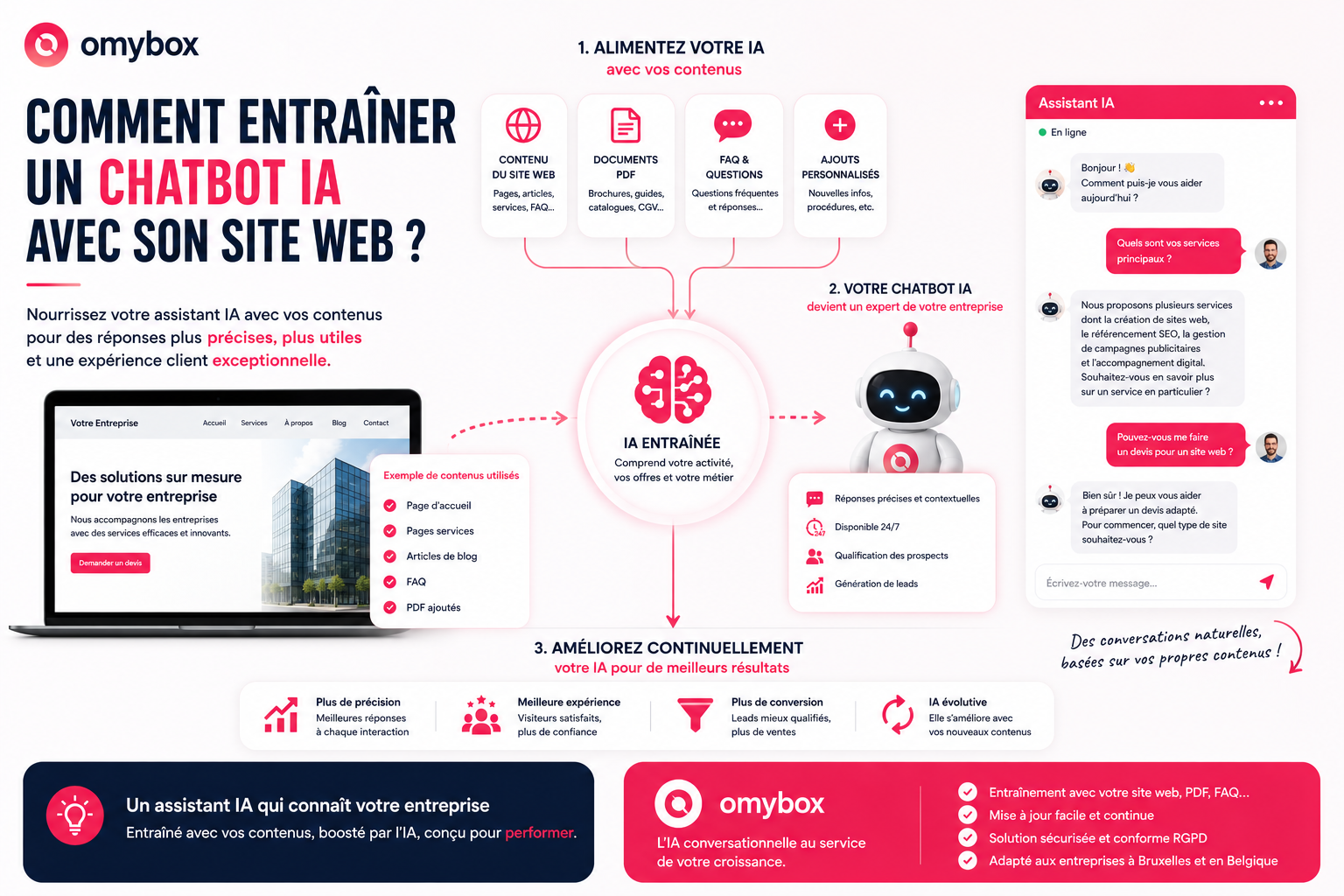
Artificial intelligence is rapidly transforming the way businesses interact with their visitors.
But one question comes up often:
How can an AI chatbot truly understand my business and my services, and answer my prospects correctly?
The answer is simple:
a high-performing AI assistant needs to be trained on your company's content.
Today, the best AI chatbots no longer rely solely on fixed scripts.
They can learn directly from:
your website,
your service pages,
your FAQs,
PDF documents,
catalogues,
internal procedures,
or content added gradually over time.
This is what allows the AI to become genuinely useful and relevant.
What does “training an AI chatbot” mean?
In reality, it is no longer about “programming” a chatbot the way it used to be done.
Modern AI assistants now use:
your website content,
knowledge bases,
and industry-specific information
to generate intelligent, context-aware answers.
The goal is simple:
to make the AI understand your business like a specialised virtual assistant.
Why a generic chatbot is no longer enough
Older chatbots worked with:
buttons,
fixed scripts,
pre-programmed answers.
The problem:
they were limited and quickly frustrating for users.
Today, visitors want:
natural answers,
smooth conversations,
accurate information,
and a more human experience.
To achieve this, the AI needs to know your business.
How to train an AI chatbot with your website?
1. Use your website content
The first level of training is to connect the AI to your website content.
The chatbot can then analyse:
your service pages,
your homepage,
your FAQs,
your blog articles,
your product descriptions,
your contact information.
This allows it to respond to visitors far more intelligently.
2. Add PDF documents
A modern AI assistant can also learn from documents.
Examples:
PDF brochures,
catalogues,
internal procedures,
technical data sheets,
terms and conditions,
user guides,
sales presentations.
The AI can then use this content to enrich its answers.
3. Regularly add new content
An AI assistant's intelligence grows along with your business.
The more you add:
pages,
content,
documents,
FAQs,
or industry information,
the more relevant the AI becomes.
It is an ongoing process of improvement.
Why training your AI chatbot improves results
A well-trained AI assistant:
answers visitors better,
understands requests,
reduces errors,
improves the customer experience,
and generates more qualified leads.
The AI then becomes a genuine business assistant.
What types of businesses can train their AI?
Virtually every sector.
Examples:
web agencies,
law firms,
accountancy firms,
estate agencies,
construction companies,
clinics,
e-commerce,
restaurants,
local SMEs,
B2B companies.
Any business with industry-specific content can improve its AI assistant.
The importance of FAQs and SEO content
FAQs are extremely important for training an AI.
Why?
Because they contain:
real questions,
precise answers,
customer concerns,
and industry vocabulary.
The better structured your SEO content, the more effective your AI assistant becomes.
That is why:
SEO + conversational AI
are becoming increasingly connected.
Classic chatbot vs AI trained on your content
Classic chatbot
limited answers,
fixed scripts,
little flexibility,
a rigid experience.
Trained AI assistant
natural answers,
understanding of your industry,
smarter conversations,
continuous improvement,
better prospect qualification.
The market is clearly moving towards this second approach.
Omybox: an AI assistant trained on your company's content
Omybox lets businesses feed their AI assistant directly with their own content.
The platform can use:
website content,
service pages,
FAQs,
PDF documents,
business files,
and other resources
to build an AI assistant that is genuinely tailored to the business.
The goal is not simply to add a chatbot.
Omybox allows you to:
create a specialised AI,
answer visitors intelligently,
qualify prospects,
improve conversion,
and continually improve the assistant's performance.
Why do businesses update their AI regularly?
A business is constantly evolving:
new services,
new plans,
new products,
new processes,
new customer questions.
So the AI has to evolve too.
The most successful businesses regularly enrich their AI assistant so it stays accurate and relevant.
Is it complicated to train an AI chatbot?
No.
Modern solutions generally allow you to:
connect a website,
import documents,
add content,
and gradually enrich the AI,
without having to develop a complex system.
Conclusion
Modern AI assistants become genuinely powerful when they are trained on the business's own content.
A connected AI chatbot:
to your website,
your FAQs,
your documents,
and your business content
can deliver a far more intelligent and effective experience.
AI is no longer just a simple chatbot…
but a true specialist assistant able to grow with your business.
FAQ – How to train an AI chatbot with your website?
How does an AI chatbot learn a website's content?
An AI assistant can analyse a website's pages, FAQs and content to answer visitors more intelligently.
Can you train an AI chatbot with PDFs?
Yes. Modern AI assistants can use PDF documents such as brochures, catalogues or procedures to enrich their answers.
Why add content to your AI regularly?
The more business content the AI receives, the more accurate, relevant and effective it becomes at answering prospects.
Can an AI chatbot understand my business?
Yes. When fed with your company's content, an AI assistant can understand your services, your vocabulary and your processes.
Which tool should you use to train an AI chatbot?
Businesses generally look for a simple, scalable solution such as Omybox
Can an AI assistant evolve over time?
Yes. An AI assistant can be continually improved by adding new content and documents.
Go further
Further resources, chosen for this topic.
AI assistant for dental clinics
A complete example: patient questions, emergencies and appointment booking.
Omybox or Chatbase: the differences
Automated answers from your own data
Omybox plans and pricing
Find the plan that fits your visitor volume.
Omybox help centre
Installation, personalisation and conversation tracking.