WordPress AI assistant: why your website deserves better than a simple chatbot
Your WordPress website welcomes visitors every day.
They browse your services.
They read through your blog.
They take an interest in your business.
Then they leave.
Not because they aren't interested.
But because they didn't get the answers they were looking for, at the right moment.
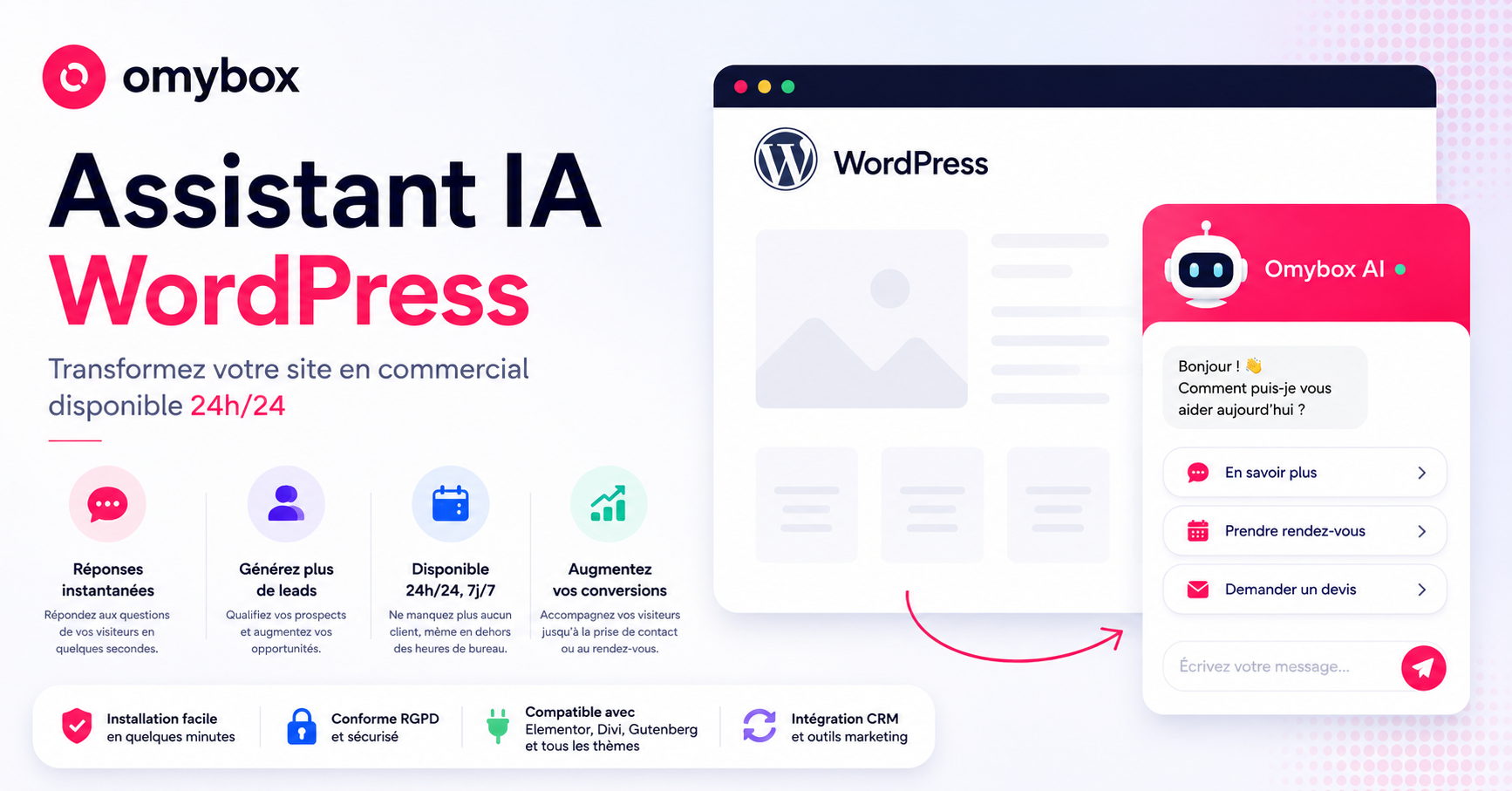
That is precisely the role of a WordPress AI assistant: an artificial intelligence solution built into your site, able to understand your content, chat naturally with your visitors and answer their questions automatically.
Unlike a traditional chatbot, an AI assistant isn't limited to rigid scripts: it draws on the pages, articles and information on your site to guide the conversation, overcome hesitations and take the visitor all the way to getting in touch.
If you run a WordPress site for your company, your business or your customers, without wanting to get into technical development, you'll find out here what a WordPress AI assistant really is, how it differs from a chatbot, what benefits it brings for user experience, conversion and lead generation, and the Omybox solution and its compatibility with the WordPress ecosystem.
What is a WordPress AI assistant?
A WordPress AI assistant is an artificial intelligence solution, often described as an AI assistant, that integrates with your site to chat automatically with your visitors.
Unlike a classic chatbot, it doesn't follow a fixed script: it uses artificial intelligence to analyse questions, understand users' intent and draw on the content of your site.
Your site becomes far more interactive as a result, thanks to a connected system that plugs directly into the WordPress platform to deliver relevant answers.
Why install an AI assistant on your WordPress website?
Today's visitors expect an immediate answer, concrete help with their frequently asked questions and some automation of request handling: a WordPress AI assistant, sometimes presented as an « AI assistant », works as a system built into the site to process natural-language queries and strengthen your online presence.
They want to know:
your prices;
your timeframes;
your services;
your references;
your availability.
If they can't find this information quickly, they usually leave your site.
An AI assistant helps avoid this loss of opportunities by answering frequently asked questions automatically, easing the support burden on visitors and making the answering process smoother at every step of the journey.
AI assistant or WordPress chatbot?
The difference matters.
Traditional chatbot
pre-programmed replies;
limited scenarios;
poor grasp of context;
sometimes a frustrating experience.
AI assistant
understanding of natural language;
personalised replies;
learning from your website;
guiding visitors;
lead generation;
more advanced features, able to handle a wide range of requests, with the limits of the AI's capabilities clearly defined according to how it is used.
The AI assistant therefore offers an experience much closer to a human conversation, with capabilities better suited to what visitors expect.
The benefits of a WordPress AI assistant
Answer instantly
Visitors get answers within seconds on your website, simply and effectively, whether from the editor or an integrated interface, with a clear view of conversations, which improves support from the very first visit.
Generate more leads
Every conversation can become a new sales opportunity. These exchanges also help turn visitors into customers more effectively, without weighing down your prospecting efforts.
Qualify prospects automatically
The assistant can identify the need, collect important information drawn from reliable sources on your site to improve the relevance of its answers, and better prepare your sales team's follow-up, with the aim of qualification and nurturing.
Available 24/7
Your business stays reachable at all times.
Boost conversions
A reassured visitor is far more likely to request a quote or book an appointment. The assistant can also point people to the right page, products or contact depending on the type of enquiry.
Why Omybox is different
Omybox is not just a simple chatbot.
It's an AI assistant designed for businesses that want to grow, with a tool built to simplify handling visitor enquiries and to fit the design of your site and its visual styles.
It automatically understands your WordPress site and can:
answer visitors' questions;
present your services;
qualify leads;
offer appointment booking;
synchronise information with your CRM.
It also has to respect the site's regulatory compliance, including GDPR, when processing personal data.
All without having to build hundreds of scenarios.
Compatible with the whole WordPress ecosystem and content management
Omybox works with:
WordPress;
Elementor;
Gutenberg;
Divi;
Bricks Builder;
Oxygen;
custom themes;
WooCommerce for an integrated shop.
Installation is quick and requires no technical skills, with simple adaptation to your site's design, visual styles and templates.
Why choose Omybox?
AI assistant trained on your site
Instant answers
Lead generation
Automatic qualification
CRM integration
GDPR compliant
Quick installation
Available 24/7
Cost control through AI usage quotas
Some artificial intelligence services are charged by the number of words processed, which makes these limits useful for keeping costs under control.
Conclusion
Visitors no longer want to fill in a form and wait several days for a reply.
They want to talk right away.
That is exactly what a WordPress AI assistant delivers.
With Omybox, your site becomes a genuine digital colleague able to answer, persuade and convert, even when your team is away.
It is no longer simply a website.
It is a salesperson available on every visit.
FAQ – WordPress AI assistant
What is a WordPress AI assistant?
A WordPress AI assistant is an artificial intelligence solution that can automatically answer visitors, understand your site's content, generate leads and automatically create texts and articles. It is also available in 12 different languages.
What is the difference between an AI assistant and a WordPress chatbot?
A traditional chatbot follows predefined scripts. An AI assistant understands natural language, analyses visitors' intentions and provides personalised answers, and it can also adapt the tone of its replies or of an article to the user's needs.
Why install an AI assistant on WordPress?
It lets you answer questions instantly, improve the user experience, qualify leads and increase conversions. It can also suggest article ideas and prepare a page draft, while helping to generate titles and meta descriptions for SEO. It can even generate custom images for articles.
Is Omybox compatible with WordPress?
Yes. Omybox works with WordPress, Elementor, Gutenberg, Divi, Bricks Builder, Oxygen and most themes, and the compatibility may also extend to the wordpress.com ecosystem. Depending on the version used and the plugins activated, the assistant can also be accessible from a sidebar in the editor, with actions linked to the media library where the integration allows it. It can then adjust the layout through natural-language instructions and, in some cases, generate code to customise the design, particularly in environments linked to Automattic, the company behind WordPress.com.
Can you install an AI assistant without developing anything?
Yes. Omybox installs in a few minutes within the CMS, without complex development, and stays compatible with the theme you use.
Can an AI assistant replace a contact form?
It does not necessarily replace the form, but it complements it by answering visitors immediately, handling frequently asked questions automatically, easing the load on support and increasing the number of enquiries.
Does a WordPress AI assistant improve SEO?
Indirectly, yes. By improving the user experience, the time spent on the site and interactions, it can contribute to better overall performance. An assistant can also help with content management by producing lists of ideas, organising the sections of a page and strengthening the structure of content, with features useful for SEO and user experience.
Go further
Further resources, chosen for this topic.
AI assistant for dental clinics
A complete example: patient questions, emergencies and appointment booking.
Omybox or Chatbase: the differences
Automated answers from your own data
Omybox plans and pricing
Find the plan that fits your visitor volume.
Omybox help centre
Installation, personalisation and conversation tracking.