WordPress chatbot: how to turn your site into a real salesperson with AI
WordPress now powers more than 40% of websites worldwide.
Millions of businesses, professionals and site owners use this CMS to showcase their services, sell their products or generate leads.
But one problem remains.
Visitors arrive on your site… then leave without ever getting in touch.
Why?
Because they have a question and nobody is available to answer it.
That is precisely the role of a modern WordPress chatbot: an AI assistant built into your site, able to chat automatically with visitors, answer their questions, qualify prospects and generate contacts 24/7.
Even better: an AI assistant that understands your site and guides every visitor right up to getting in touch.
For a business that wants to improve the user experience, respond instantly and turn more traffic into customers, this is a concrete commercial lever. Here you will see what a WordPress chatbot is, its benefits, the limits of traditional chatbots, why an AI approach changes the game, and how a solution like Omybox fits easily into a WordPress site.
Ready to install a solution? Check out our comparison of the best WordPress chatbot plugins.
What is a WordPress chatbot?
A WordPress chatbot is a solution that integrates directly into your site to chat automatically with your visitors.
The first generations of chatbots relied on pre-programmed scripts.
Today, AI assistants go much further.
They understand users' questions, analyse your site's content and respond in a natural way.
Why install a chatbot on WordPress?
A chatbot lets you respond immediately to visitors and strengthen both customer service and customer support when they are looking for information.
It can in particular:
handle frequently asked questions and manage repetitive questions without human intervention;
present your services;
direct visitors to the right pages;
qualify prospects;
generate enquiries;
offer an appointment.
It also automates repetitive tasks, relieves your teams and can reduce the volume of support tickets by 65%.
Your site thus becomes available 24/7 for your customers.
The limits of traditional chatbots
Older chatbots often suffer from the same flaws.
They offer:
fixed replies;
limited scripts;
little understanding of context;
a poor user experience.
The result:
Visitors quickly abandon the conversation.
A poorly configured chatbot frustrates visitors when it fails to give them the right answers to their questions.
Why choose an AI chatbot rather than a simple chatbot?
AI assistants draw on the latest advances in artificial intelligence.
They are able to:
understand visitors' intentions;
find the relevant information;
personalise their replies;
guide users right through to action.
They offer a far more natural experience.
The benefits of a WordPress chatbot
Instant answers
Visitors immediately get answers to their most common questions and objections thanks to the chatbot, with a live chat or AI chat style of exchange where instant response matters most.
Lead generation: more leads
Every conversation becomes a sales opportunity, as the chatbot turns more exchanges into lead capture and useful enquiries for your business. In a commercial context, chatbots often lift conversion rates by 2% to 8%.
Available around the clock
Your assistant works even when your team is away.
Better user experience and customer support
Visitors quickly find what they are looking for.
Higher conversions
A reassured visitor takes action more readily.
Omybox: the next-generation WordPress chatbot
Omybox is not a conventional WordPress chatbot, but a next-generation chatbot for WordPress.
It is an AI assistant specially designed to help businesses convert more visitors.
Unlike many solutions, Omybox automatically understands the content of your wordpress site. The best solutions for WordPress also often offer multilingual support, numerous integrations and a set-up tailored to the site.
It can:
answer questions;
present your services;
qualify prospects;
trigger an appointment booking;
learn from your website content in order to provide contextualised answers;
pass the information on to your CRM.
By way of comparison, WPBot also offers multilingual answers and supports more than 50 platforms.
Installation in just a few minutes
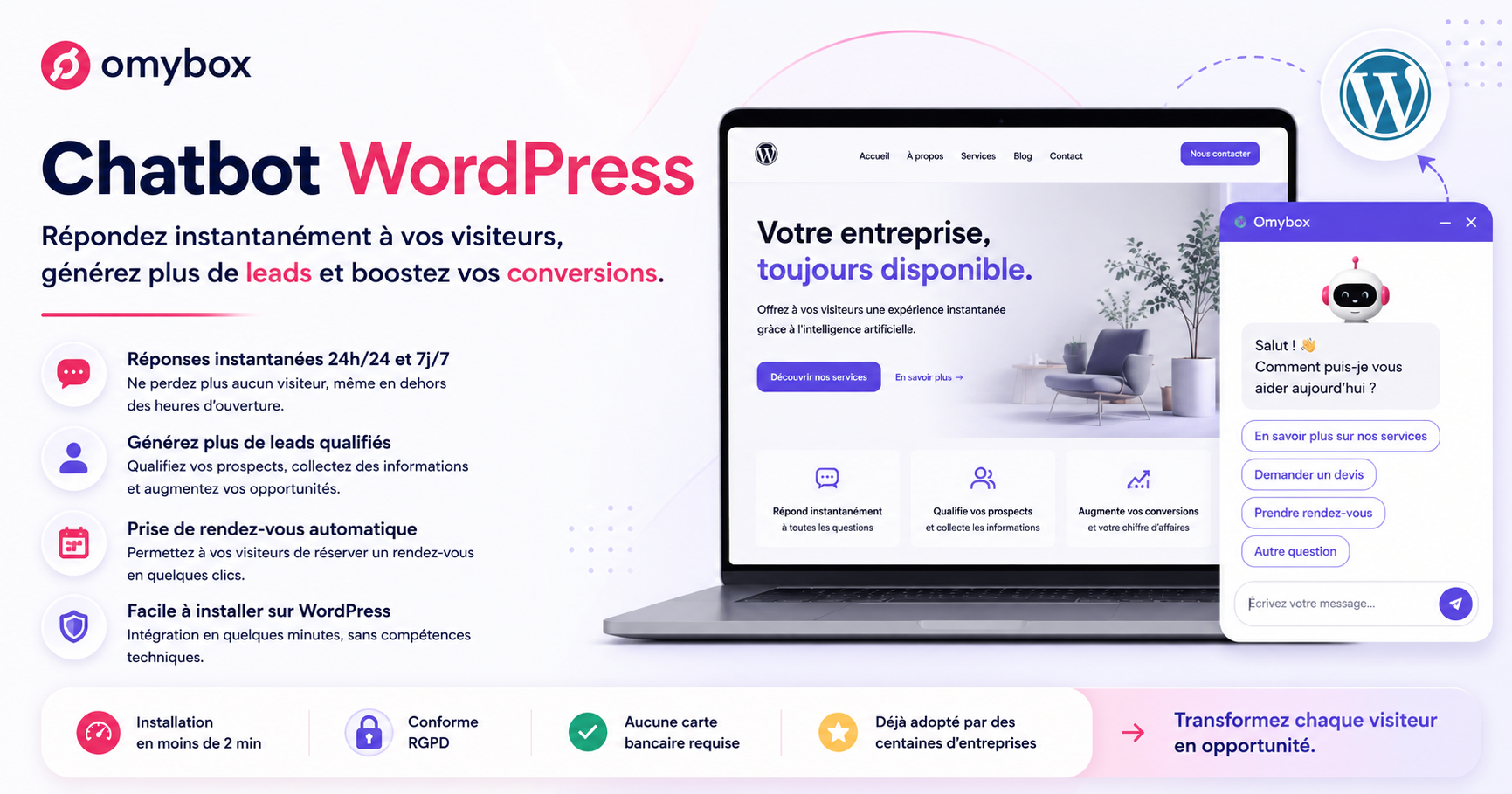
Integrating Omybox on WordPress is done via the plugin, no code required, directly from your WordPress dashboard.
In just a few minutes, your AI assistant is able to answer visitors.
No complex development is needed. You can then personalise the chat widget to match your brand, including your visual identity, and some plugins such as Ultimo Bots also let you adjust the chatbot's colours and font.
Compatible with the leading WordPress chatbot plugins and page builders
Omybox works with the majority of WordPress sites, including:
Elementor;
Gutenberg;
Divi;
Bricks Builder;
Oxygen;
custom themes.
Why Omybox?
Quick installation
AI assistant trained on your website
Automatic lead qualification
Instant answers with your wordpress chatbot
Lead generation
WordPress compatible: a wordpress ai chatbot can also automate repetitive tasks, saving your teams valuable time
GDPR compliant
Available 24/7, with conversations possible in more than 50 languages
Deployment possible on Facebook and Instagram
Conclusion
Installing a WordPress chatbot is today one of the most effective ways to improve the user experience and increase the number of contact requests.
But not all chatbots are created equal.
AI assistants such as Omybox go well beyond simple automated scripts.
They understand your visitors, answer their questions and turn more visits into business opportunities.
If you want to make the most of your WordPress site's potential, an AI assistant is today one of the best solutions.
FAQ – WordPress chatbot
What is the best WordPress chatbot?
The best WordPress chatbot is the one that genuinely answers your visitors' questions, understands your website's content and helps generate more leads. If you're wondering what is the best, the right answer also depends on your budget and needs: Chatbase costs $40 to $500 per month, WPBot Pro starts at around $59 to $99 a year, while Chatbot.com charges $19 to $99 per user per month. AI assistants such as Omybox go further than a traditional chatbot by offering intelligent, contextualised answers.
How do I install a chatbot on WordPress?
How do I add a chatbot on WordPress? Here's how to go about it: most solutions install via a WordPress plugin or a simple script on your site. With Omybox, installation takes just a few minutes, with no complex development or technical knowledge required.
To add a chatbot to your site, it is often enough to add the plugin from the official directory and then activate it in your WordPress dashboard.
Depending on the tool you choose, there may be a free plan available, subscriptions from €19/month — for example Robofy and Ultimo Bots — or a one-time purchase such as PurioChat at €69; Ultimo Bots also offers a free plan with 20 messages.
Is a WordPress chatbot free?
There are free WordPress chatbots, but their features are often limited. Some tools offer a free plan available with no credit card, with usage caps of up to a few messages or conversations. For example, Robofy offers a free plan followed by paid plans from €19/month, while Ultimo Bots includes a free plan with 20 messages before subscriptions from €19/month. Professional solutions generally offer subscriptions that include artificial intelligence, lead generation, CRM integrations and more effective answers.
What is the difference between a chatbot and an AI assistant?
A traditional chatbot usually follows predefined scripts and answers a limited range of questions. An AI assistant understands natural language, analyses the context of conversations and provides personalised answers drawn from your website's content. To stay reliable over time, you need to test its answers regularly and keep its knowledge base up to date, as this is often what you need to guarantee relevant answers.
Can a WordPress chatbot generate leads?
Yes. A modern WordPress chatbot can qualify visitors, ask the right questions before contact is made, collect their details, offer an appointment booking and pass the information straight to your CRM, helping you turn more visitors into leads. Some solutions even connect bookings to Google Calendar, such as Robofy.
Is Omybox compatible with WordPress?
Yes. Omybox is fully compatible with WordPress and can be integrated quickly on most sites without changing how they work.
Does Omybox work with Elementor?
Yes. Omybox is compatible with Elementor as well as Gutenberg, Divi, Bricks Builder, Oxygen and most WordPress themes and page builders.
Can you install a WordPress chatbot without coding?
Yes. Modern solutions such as Omybox install with no code, via a WordPress plugin, without complex development. A few minutes is all it takes to connect your site and start answering your visitors automatically. Many solutions also offer easy integration and multilingual support.
Does a WordPress chatbot improve conversions?
Yes. By answering visitors' questions instantly, an AI chatbot reduces drop-offs, reassures prospects and increases the number of enquiries, quote requests and appointments. It also improves the customer experience, which strengthens engagement throughout the journey. When set up well, it can lift conversion rates by 2% to 8%.
Why choose an AI assistant over a traditional chatbot?
An AI assistant can understand visitors' intentions, respond naturally, qualify prospects automatically and guide users all the way to conversion. It delivers a far more effective experience than a chatbot based on pre-programmed replies. An AI assistant can also be deployed across several channels with your site and your brand, for example on Facebook, Instagram or WhatsApp depending on the solution, such as Chatbase or Ultimo Bots. Some tools also let you adapt your chatbot to multiple languages, with personalised replies in over 50 languages from solutions such as WPBot or Robofy.
Go further
Further resources, chosen for this topic.
AI assistant for dental clinics
A complete example: patient questions, emergencies and appointment booking.
Omybox or Chatbase: the differences
Automated answers from your own data
Omybox plans and pricing
Find the plan that fits your visitor volume.
Omybox help centre
Installation, personalisation and conversation tracking.